 Change your country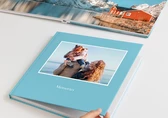


Last updated: September 2026
How to: Design a Photo Book in one minute


Not everyone has hours to spend arranging photos and perfecting layouts, and that's exactly why we created the One Minute Photo Book. This automatic design mode takes your uploaded photos and transforms them into a fully designed Photo Book in seconds. No manual layout, no design experience required.
Whether you're short on time or simply want professional results without the effort, this is one of the easiest ways to turn your favorite memories into a personalized Photo Book.

Step 1: Choose Your Format
Select your preferred Photo Book type (Hardcover, Professional Line, or XT Pages), then choose all your characteristics: size, cover, paper type... Ready? Click on Design now.
Step 2: Select One Minute Photo Book
Out of the three available design methods, choose One Minute Photo Book.
Step 3: Choose a Design Line
Pick a design line to set the overall style of your Photo Book.
Step 4: Upload Your Photos
Add your images from your computer, Saal Cloud, or directly from your smartphone via QR code.
Step 5: Sort your photos
The designer will now let you sort your photos: by location, date. Plus, you can stack similar images to make sure there are no duplicate in your album. This step makes sure the final designed Photo Book is well-sorted, organised and exactly the way you want it.
Step 6: Confirm Your Pages
Review the suggested number of pages, and you're done. Your Photo Book is fully designed and ready for any final touches. You will see your entire Photo Book at a glance in an overview, and you can freely move the pages around, as well as edit specific pages.

Tip: Once your Photo Book is created, Auto Layout is activated by default. This means that if you delete a photo or move images between pages, your layout automatically adjusts to stay balanced and consistent. Prefer to make several changes without automatic updates? Simply switch Auto Layout off, then back on whenever you're ready.
Watch our video tutorial for a visual, step-by-step walkthrough.

Every One Minute Photo Book meets the same high standards as all our Photo Books:
From your first uploaded photo to your final page, creating a Photo Book has never been this fast, or this easy.

Get exclusive discounts and designing tips! By signing up, you acknowledge our Privacy Policy. You can unsubscribe at any moment.